Best Control Settings for Mobile Legends Beginners
Highly recommended control settings that work for 95% of heroes, with special notes for skillshot heroes using Aim Panning.
Many new players stick with the default control settings in Mobile Legends: Bang Bang, which can limit their performance. Adjusting your controls can drastically improve accuracy, reaction speed, and overall gameplay. These recommended settings work for 95% of heroes, while the remaining 5% (skillshot heroes) benefit from enabling Aim Panning.
Recommended Control Settings
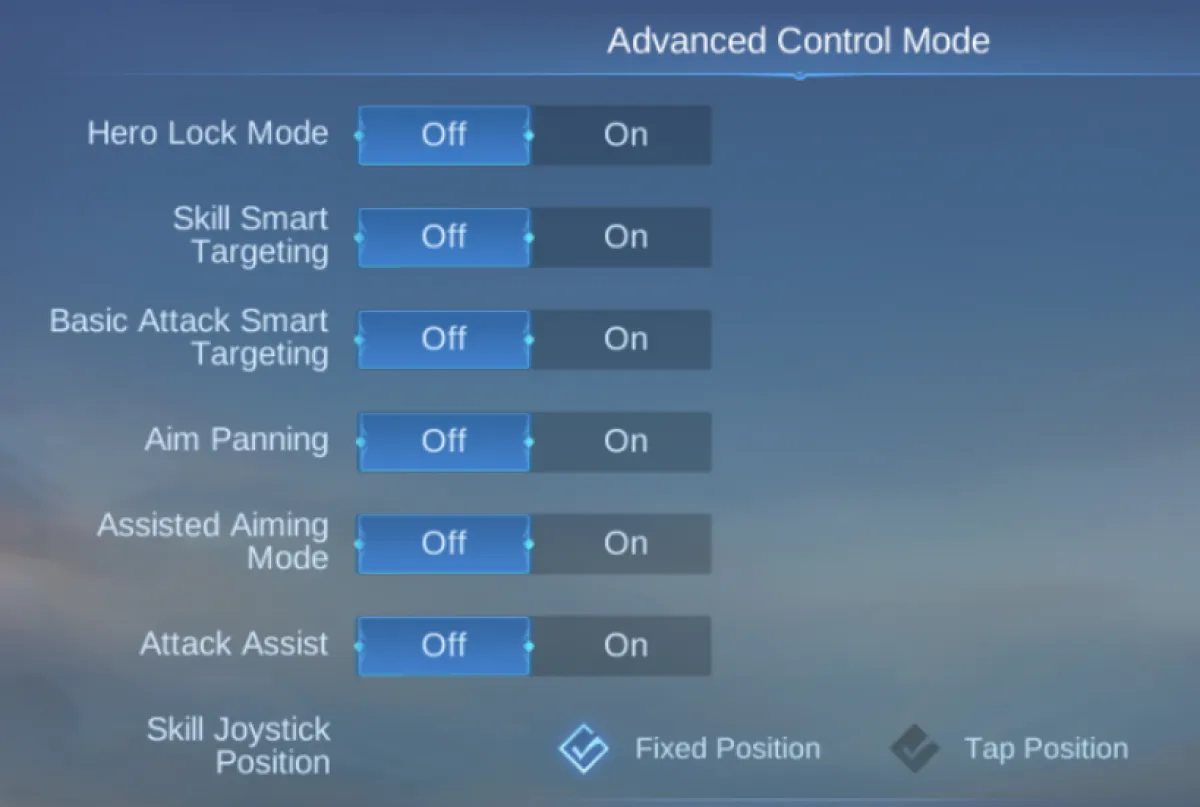
Hero Lock Mode
On – Helps target enemy heroes instead of minions or turrets during fights.
Accurate Indicator
On – Shows the exact skill range and direction for precise aiming.
Aim Panning
Off – Works for most heroes.
On – Recommended for skillshot heroes like Franco, Selena, and Kagura.
Assisted Aiming Mode
Off – Gives you full manual control, avoiding unwanted auto-targets.
Moving Pursuit
On – Ensures your hero continues chasing when attacking.
Close Pursuit
On – Keeps attacks locked on nearby enemies.
Joystick Deadzone
Low – Improves responsiveness for movement.
Active Creeps Filter
On – Helps junglers target creeps efficiently.
Skill Wheel & Camera Settings
Skill Wheel Sensitivity – Set to medium-high for faster skill dragging.
Cancel Cast Options – Use “Drag to Cancel” for better control.
Camera Sensitivity – Medium setting balances speed and accuracy.
Why These Settings Work
95% of heroes benefit from simplified targeting and pursuit mechanics.
Skillshot heroes (5%) need Aim Panning for precision.
Junglers gain better creep control with filters and HP indicators.
Competitive players avoid distractions by disabling assisted aiming and unnecessary visuals.
Conclusion
By customizing your controls, you’ll gain better accuracy, smoother gameplay, and faster reactions compared to default settings. These recommendations are ideal for beginners but also scale well into competitive play.